From creating your account to reading your AI Visibility Score — a plain walkthrough of every screen, field by field.
Go to mytrend.ai and click "Sign Up". Takes under a minute — no credit card required.
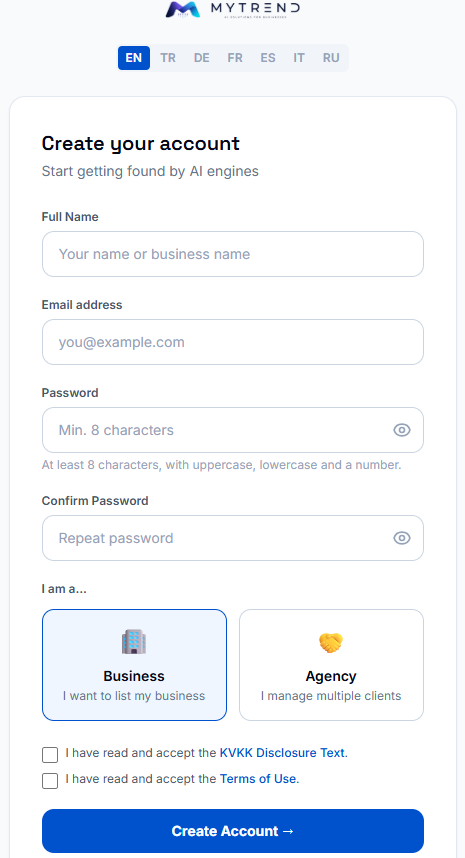
Full Name & Email
Your email becomes your login and where we send important notifications about your listing.
Password
At least 8 characters, with uppercase, lowercase and a number.
"I am a..." — Business or Agency
Choose "Business" if you're listing your own business. Choose "Agency" only if you manage AI visibility for multiple clients — that leads to a different, dealer-style dashboard.
KVKK & Terms of Use
Both boxes are required — take a moment to open and read them before continuing.
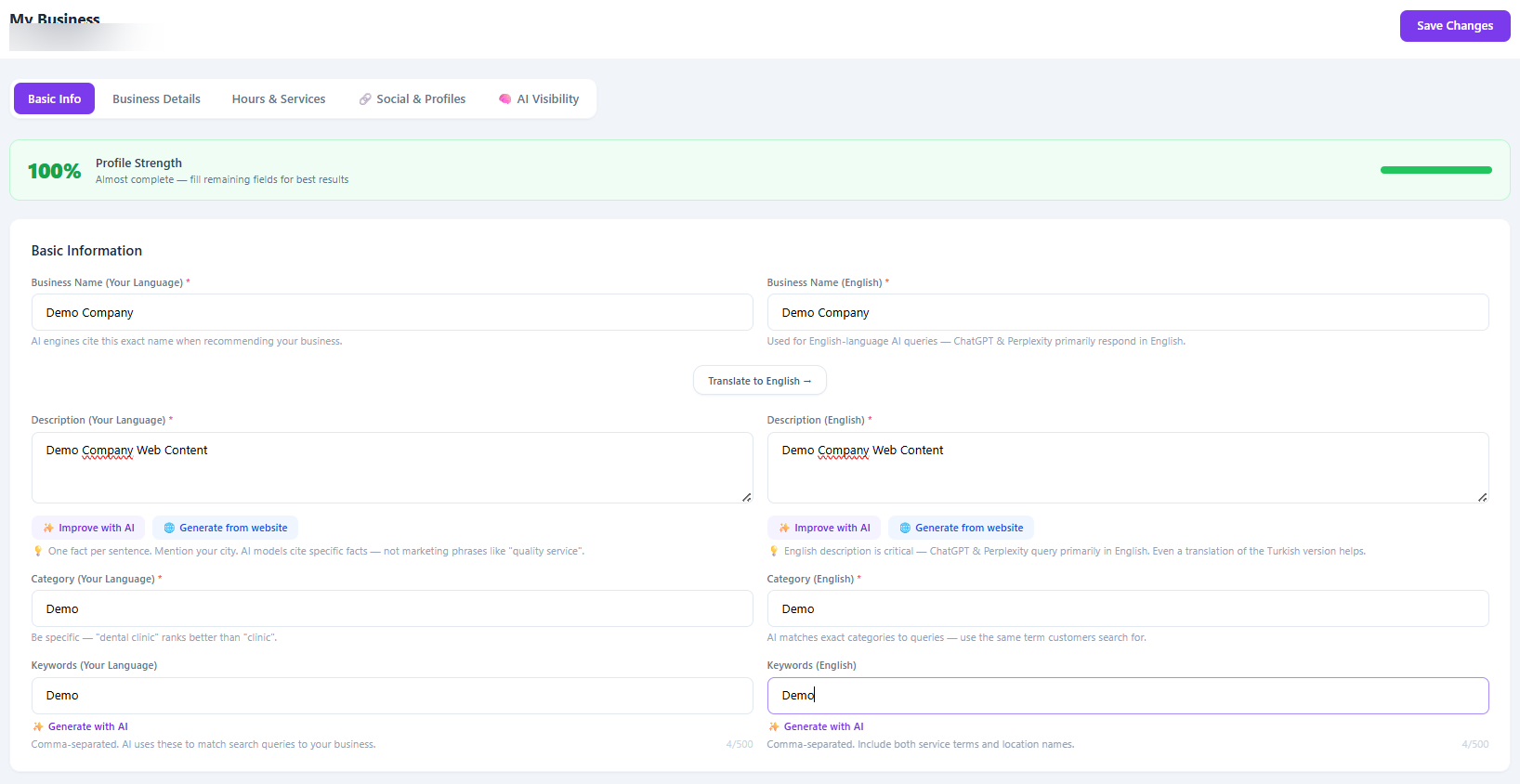
Right after signing up, you land in a 5-tab setup wizard. This is the most important part — everything an AI assistant knows about your business comes from these fields. Fill in every tab; a complete profile ranks significantly higher in AI answers than a partial one.
Your business identity — what AI assistants will actually say about you.
Business Name (Your Language & English)
AI engines cite this exact name — use the real, official name your customers already know, not a marketing slogan. Use "Translate to English" if you're not confident writing the English version yourself.
Description (Your Language & English)
One concrete fact per sentence — what you do, your city, what makes you different. AI models cite specific facts, not phrases like "quality service". Use "Improve with AI" to tighten your own draft, or "Generate from website" to build a first draft automatically if you already have a website.
Category (Your Language & English)
Be specific — "dental clinic" ranks better than "clinic". AI matches your exact category to what people actually search for.
Keywords (Your Language & English)
Comma-separated terms customers actually search for — services and locations both help. "Generate with AI" can suggest a starting list.
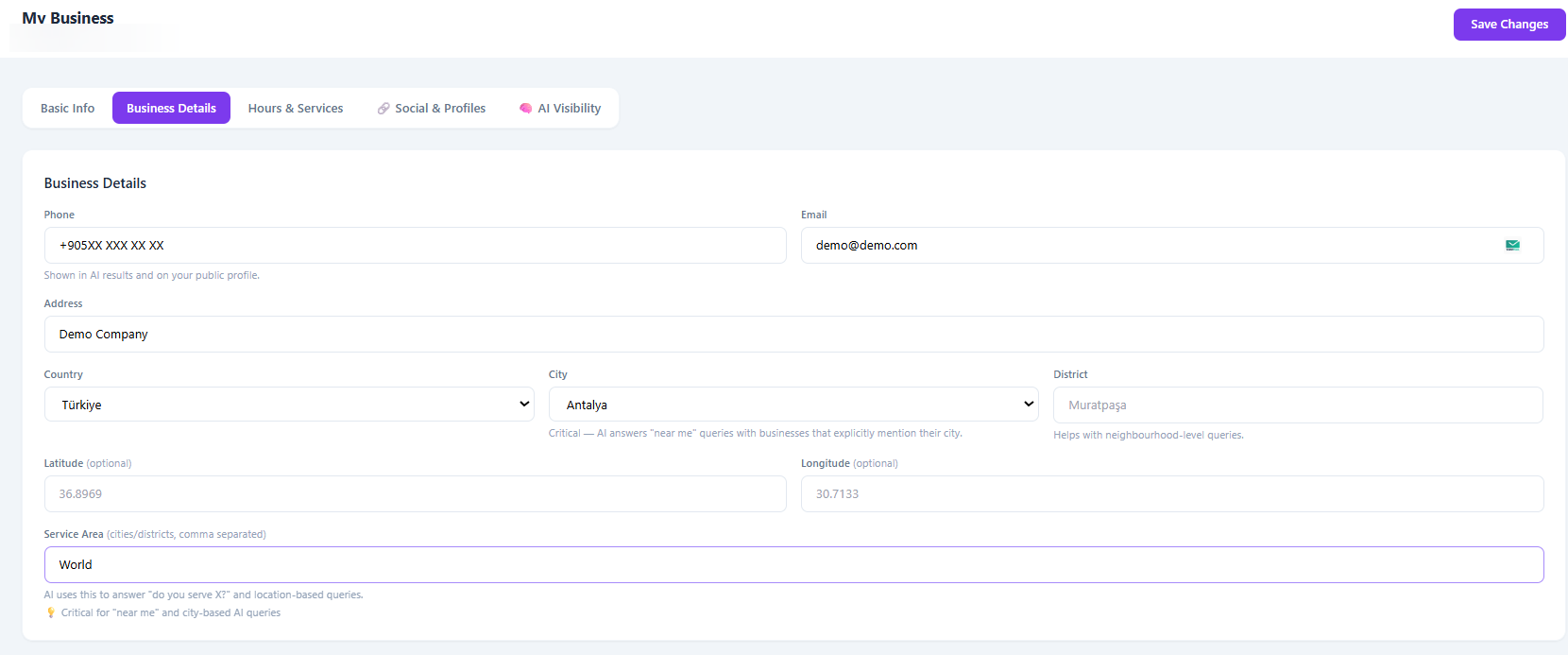
Contact and location — the details AI uses to answer "near me" questions.
Phone, Email & Address
Shown in AI results and on your public profile — keep this identical to what's on your website and Google Business Profile. Inconsistent contact details make AI assistants less confident different listings belong to the same real business.
Country, City & District
Critical — this is how AI answers "best X near me" and city-based queries. In Turkey, city is a dropdown of the 81 provinces so it always matches exactly.
Latitude & Longitude
Optional, but helps map-based AI answers pinpoint you precisely. Leave blank if you don't know these — you can add them later.
Service Area
Cities or districts you serve, comma separated. This is what AI uses to answer "do you serve X?" — especially important if you deliver or travel beyond your own city.
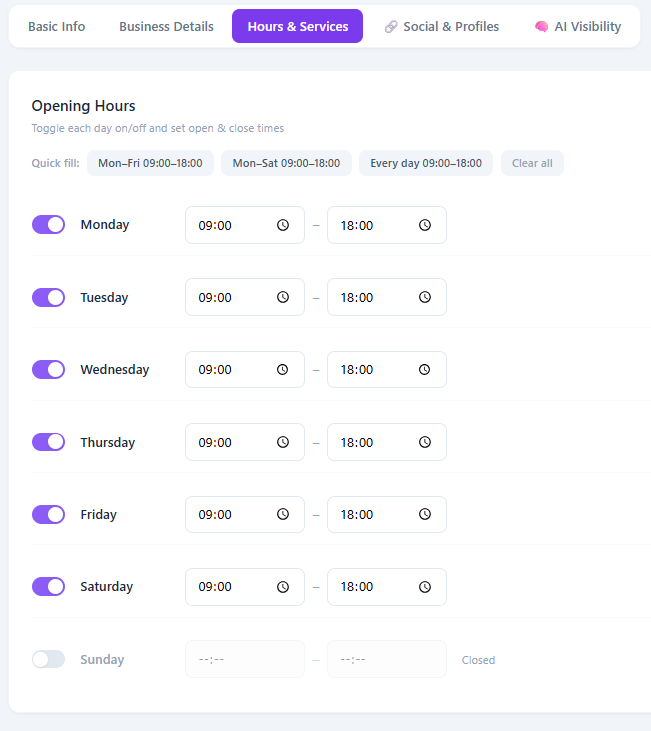
When you're open — used to answer "is it open now?" style questions.
Toggle each day, then set open & close times
Use the quick-fill buttons ("Mon–Fri 09:00–18:00" etc.) if your hours are standard — one click fills the whole week. Days left off are treated as closed.
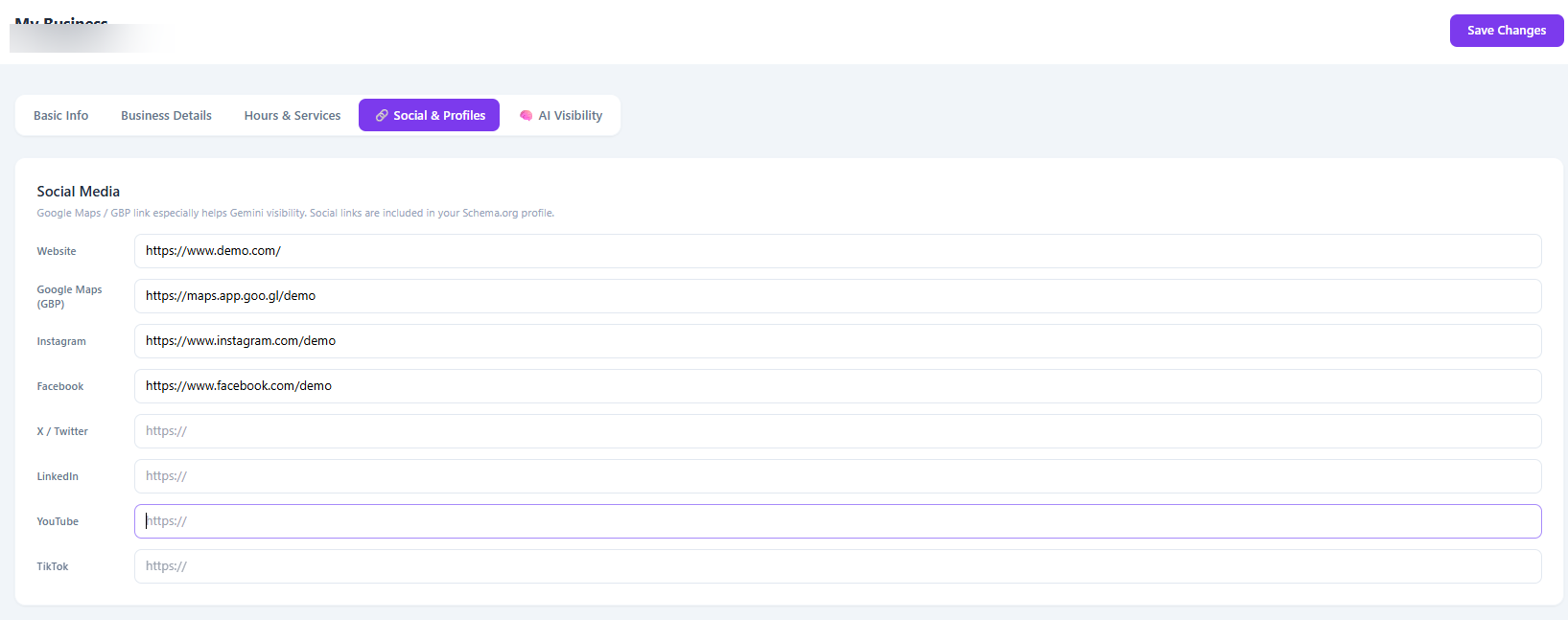
Your website and social links — extra sources AI can cross-check you against.
Website, Google Maps & social links
Your Google Maps (Google Business Profile) link especially helps Gemini visibility. All of these are included in your Schema.org profile — add whichever ones you actually have; none are required.
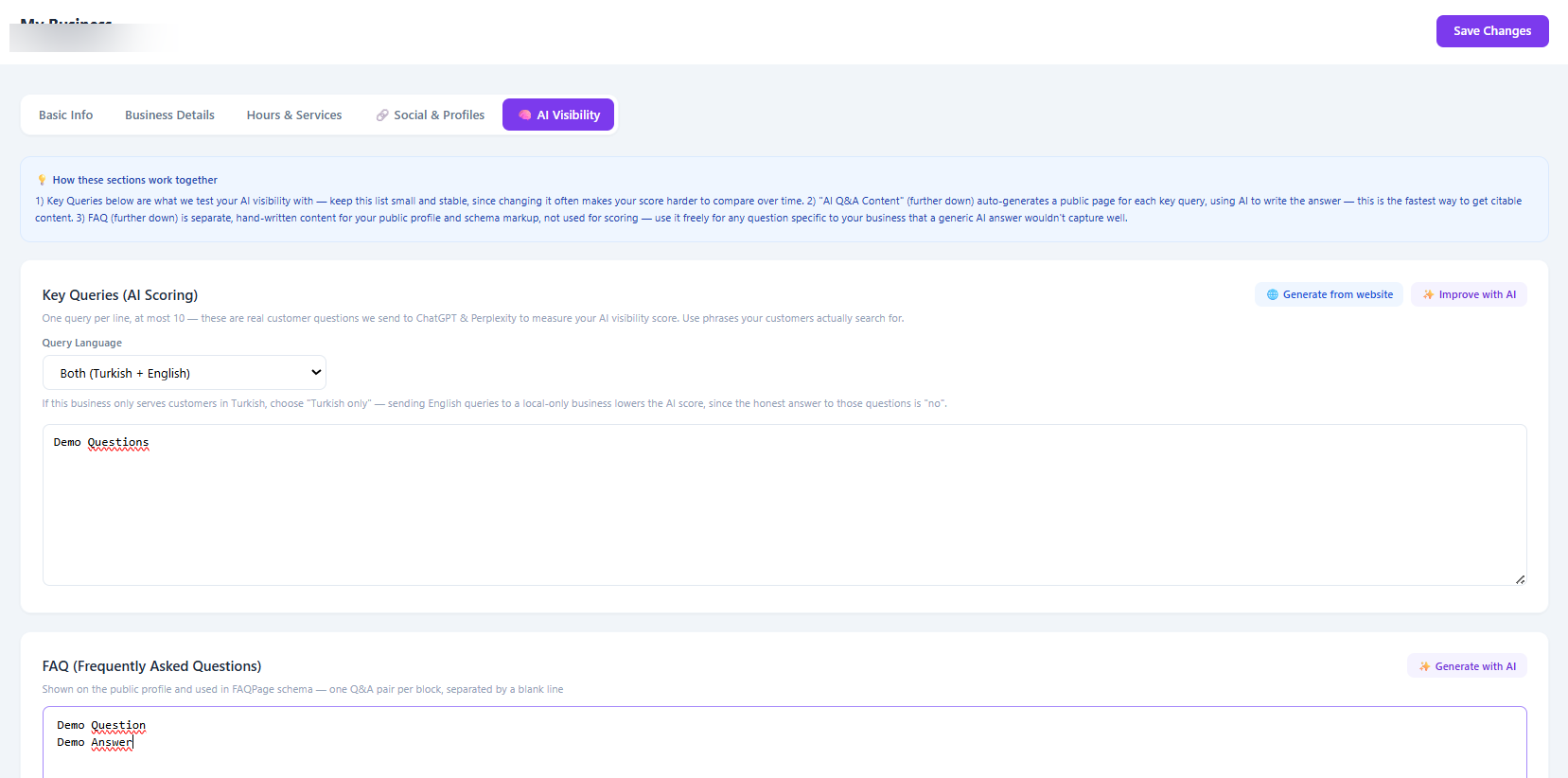
The real questions we'll use to measure whether AI assistants actually recommend you.
Key Queries
One real customer question per line — phrases your customers actually search for, not generic marketing language. These are what we send to ChatGPT, Gemini, Claude, Perplexity and Copilot to calculate your score, so keep the list small and stable: changing it often makes your score harder to compare over time. After your first check, this list locks for a while on purpose.
Query Language
If you only serve customers in Turkish, choose "Turkish only" — sending English queries to a local-only business lowers your score, since the honest answer to those questions is "no".
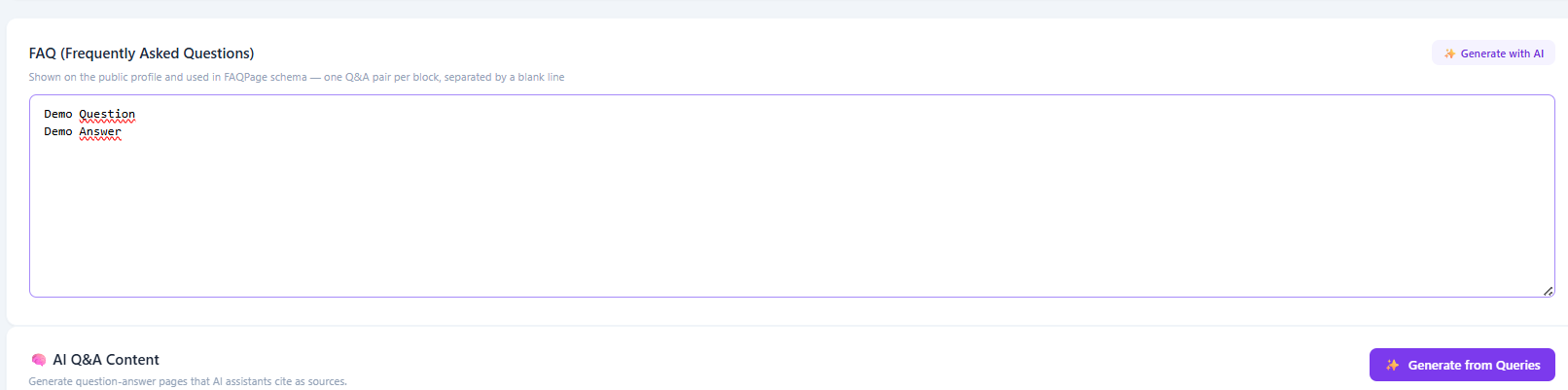
FAQ
Separate from Key Queries — hand-written questions and answers specific to your business, shown on your public profile and included in your schema markup. Not used for scoring, so use it freely for anything a generic AI answer wouldn't capture well.
Once all 5 tabs are saved, you'll see a confirmation screen with a checklist (business info, Schema.org data, llms.txt profile, AI test queries) and your public profile URL. Most businesses are verified automatically and can continue straight to payment; a small number are held for manual review and confirmed within 24 hours.
Why your score can stay low right after you publish
AI platforms and search crawlers re-index content on their own schedule, typically 2–4 weeks — not the same day. A low score right after publishing usually means "not yet crawled," not "not working."
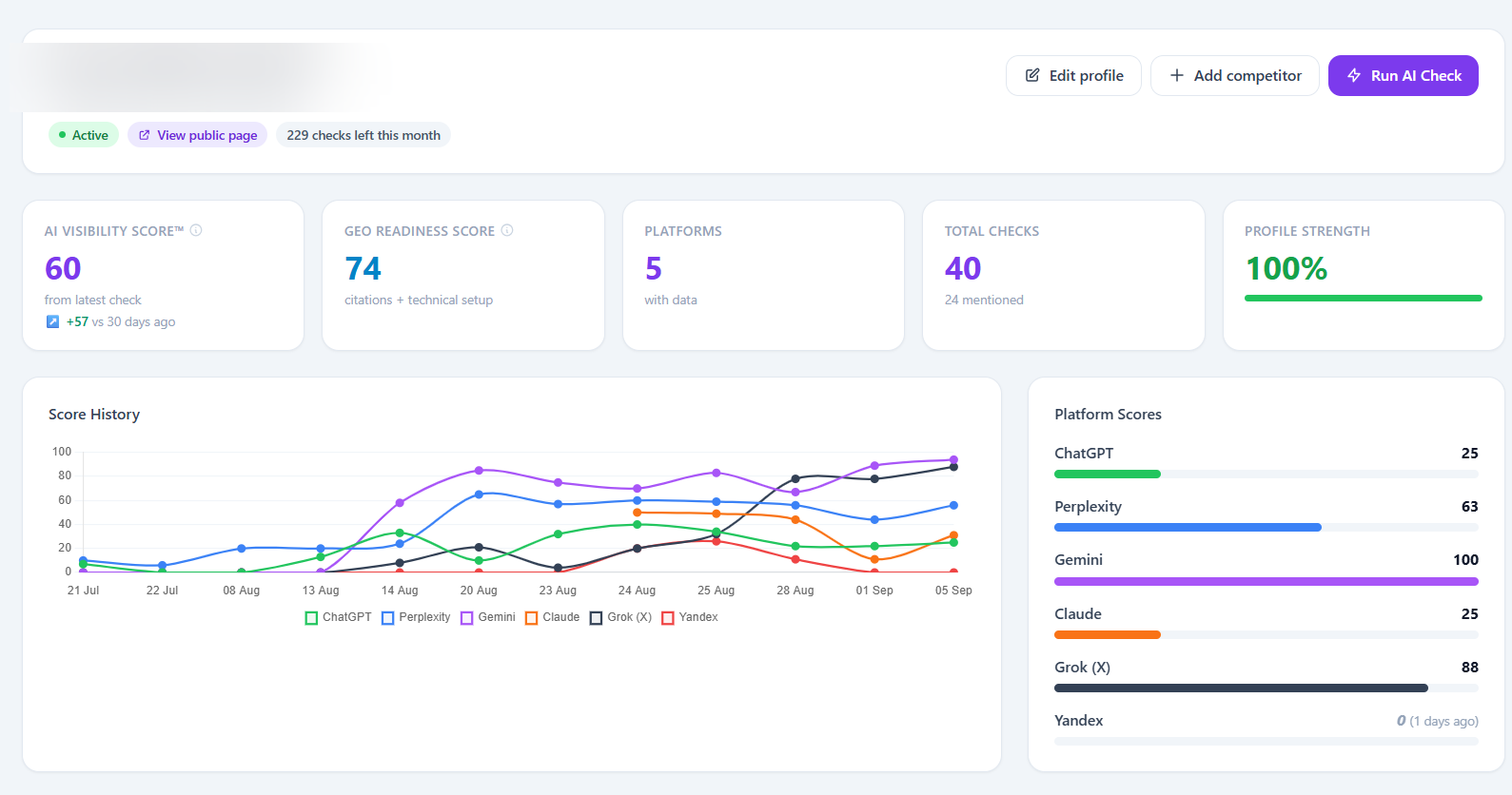
This is your home screen after logging in — a snapshot of where your business stands right now, plus quick shortcuts to everything else. The sidebar (Dashboard, My Business, AI Score, Action Center, Reports, Billing & Plans) may gain new sections over time as we add features.
AI Visibility Score & GEO Readiness Score
AI Visibility Score reflects how often AI assistants actually mention you when tested — it's a measurement, not a guarantee. GEO Readiness Score is different: it reflects your technical/citation setup, and updates instantly as you fix items on your Action Plan.
Platform Scores
Your score broken down per AI platform (ChatGPT, Gemini, Perplexity, Claude, Grok, Yandex) — useful for spotting which platform still doesn't know about you.
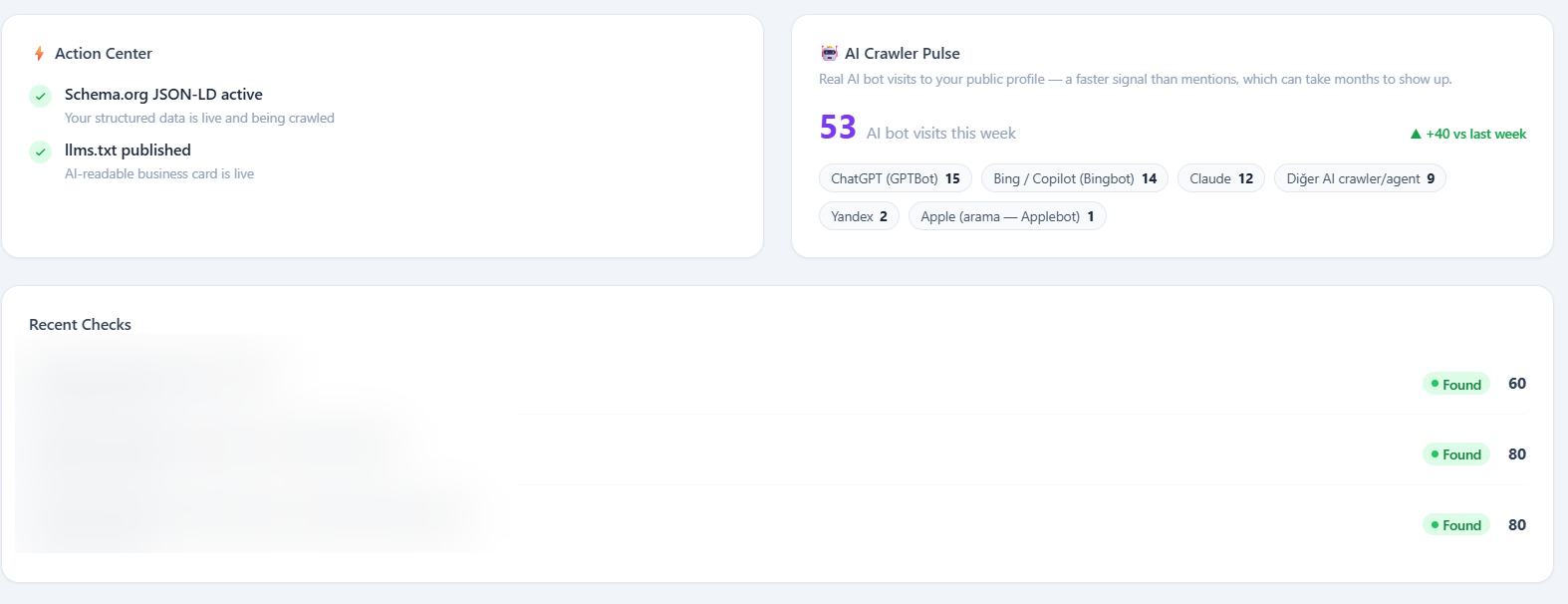
AI Crawler Pulse
Real AI bot visits to your public profile — a faster early signal than mentions, since a mention showing up in an AI answer can take months even after a bot has already crawled you.
Recent Checks
A live log of the actual queries tested and whether each one found you — the raw evidence behind your score.
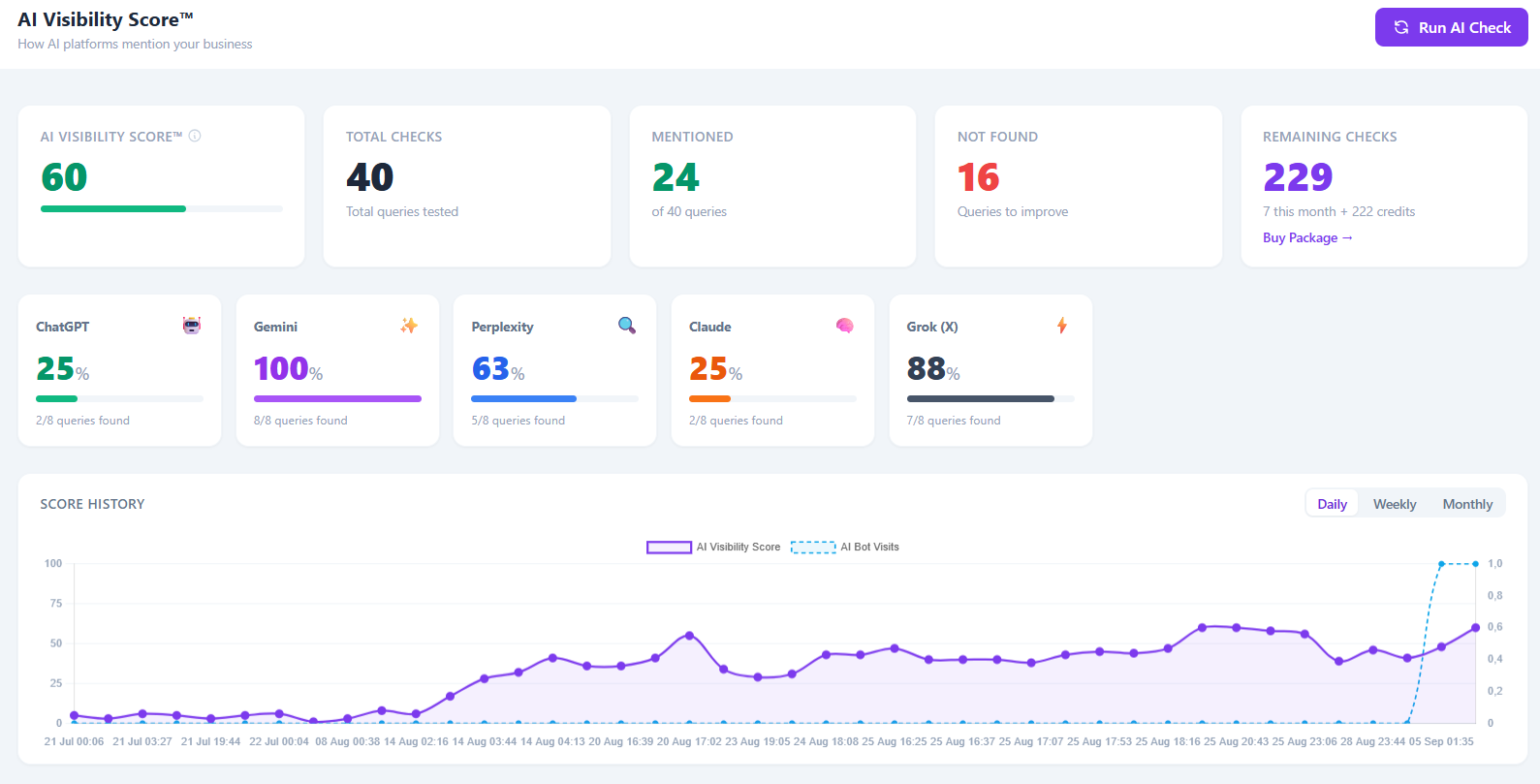
Click "AI Score" in the sidebar for the full picture: every platform, every query, and the score's history over time.
Total Checks, Mentioned & Not Found
Exactly how many of your test queries actually returned your business by name — "Not Found" is your clearest to-do list.
Run AI Check
Re-runs all your key queries against every platform right now. Your plan includes a monthly allowance; extra checks can be bought as credits when you run out.
Score History
Your score over time, alongside AI bot visits — switch between Daily, Weekly and Monthly to see the trend that matters to you.
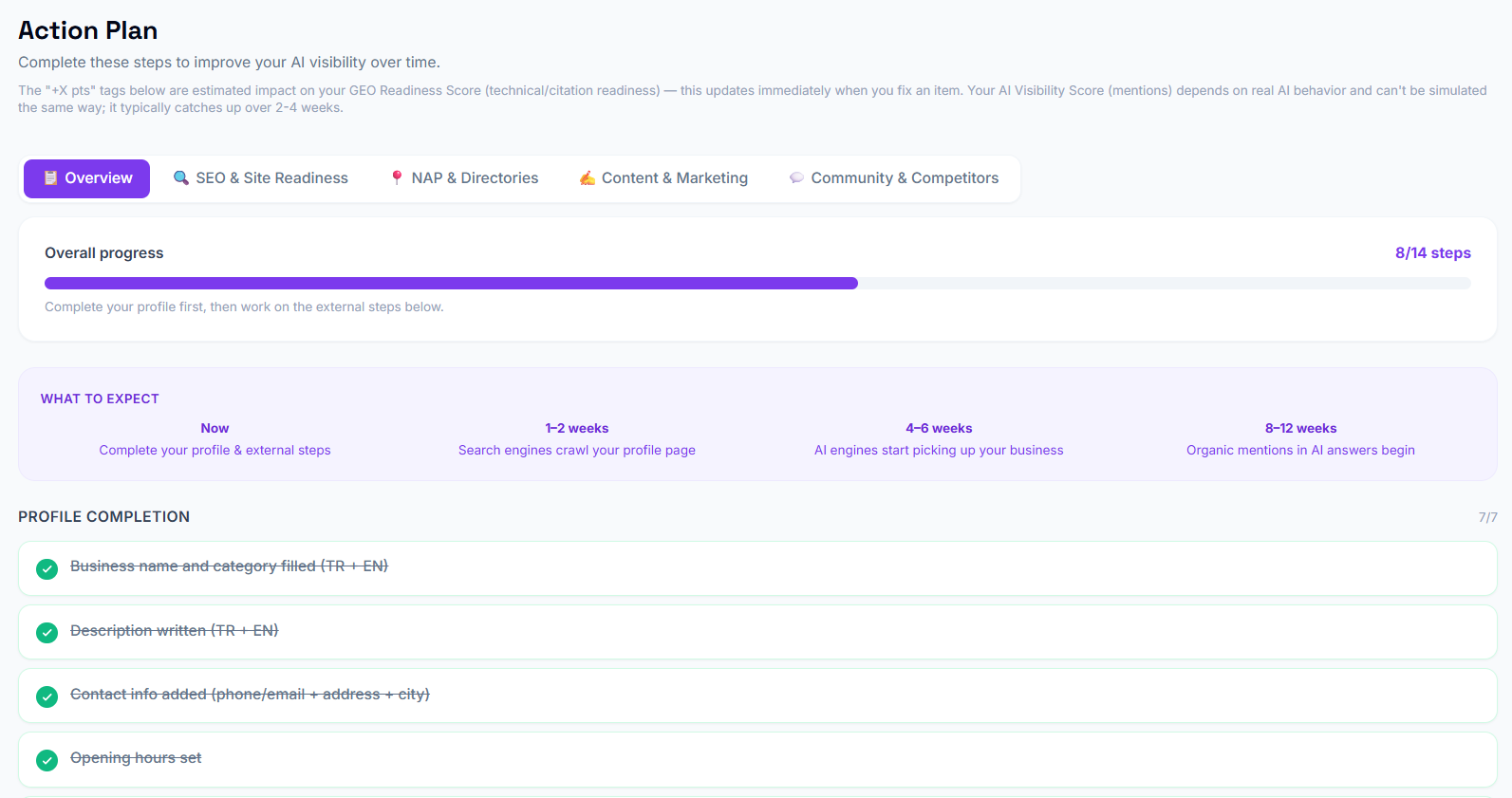
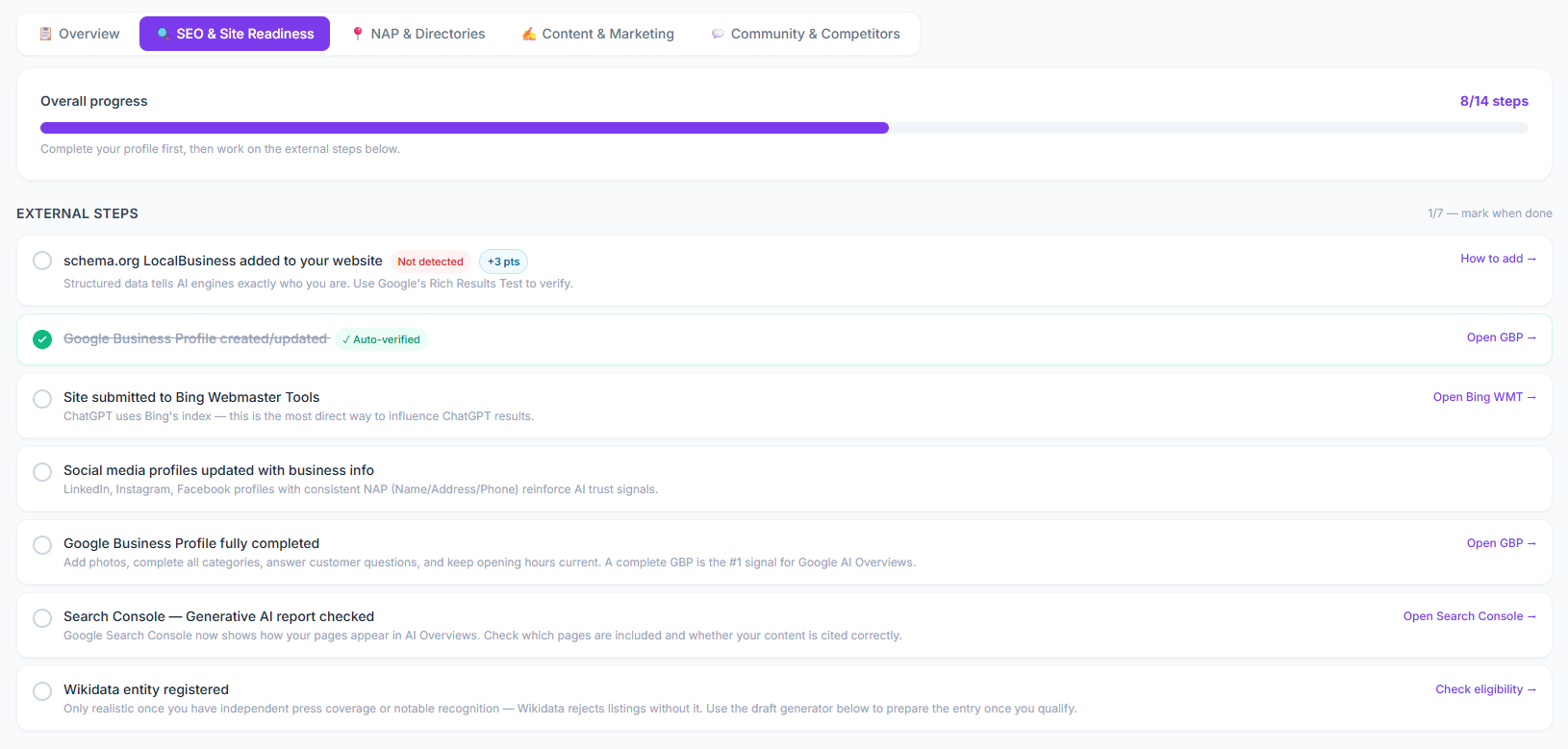
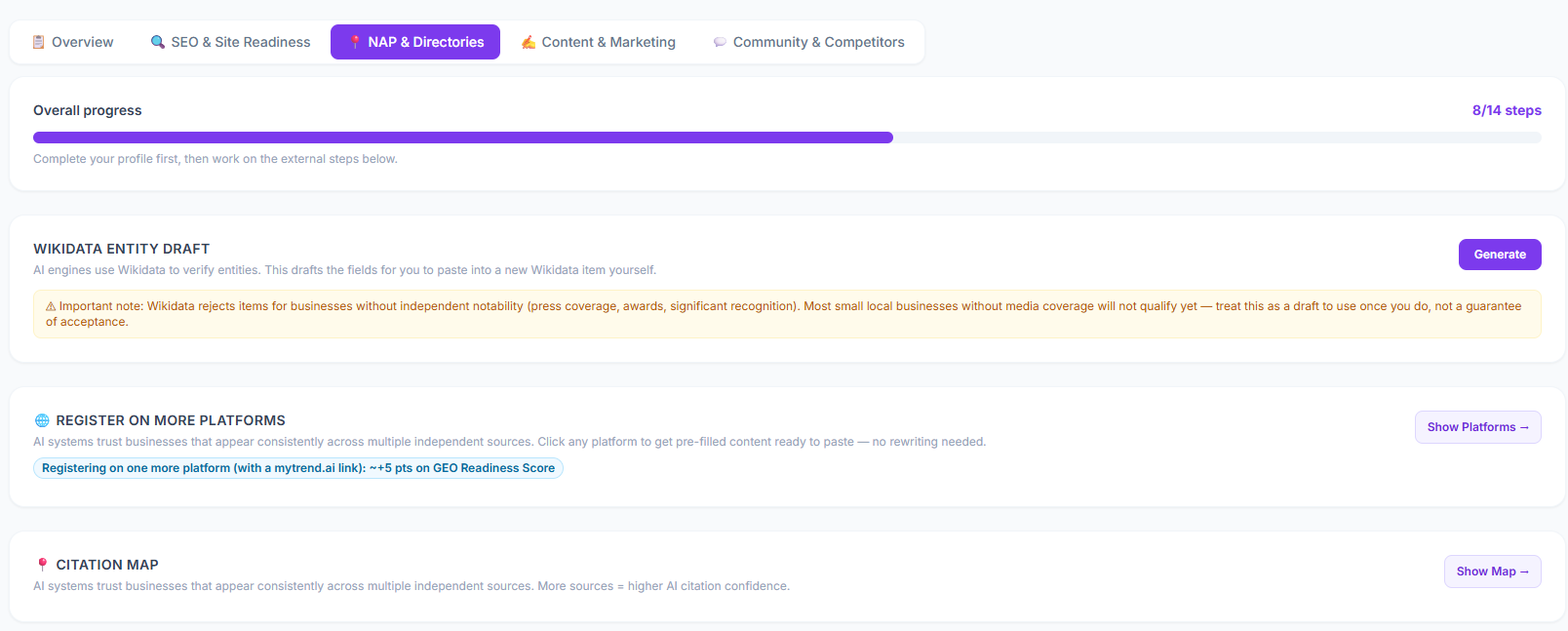
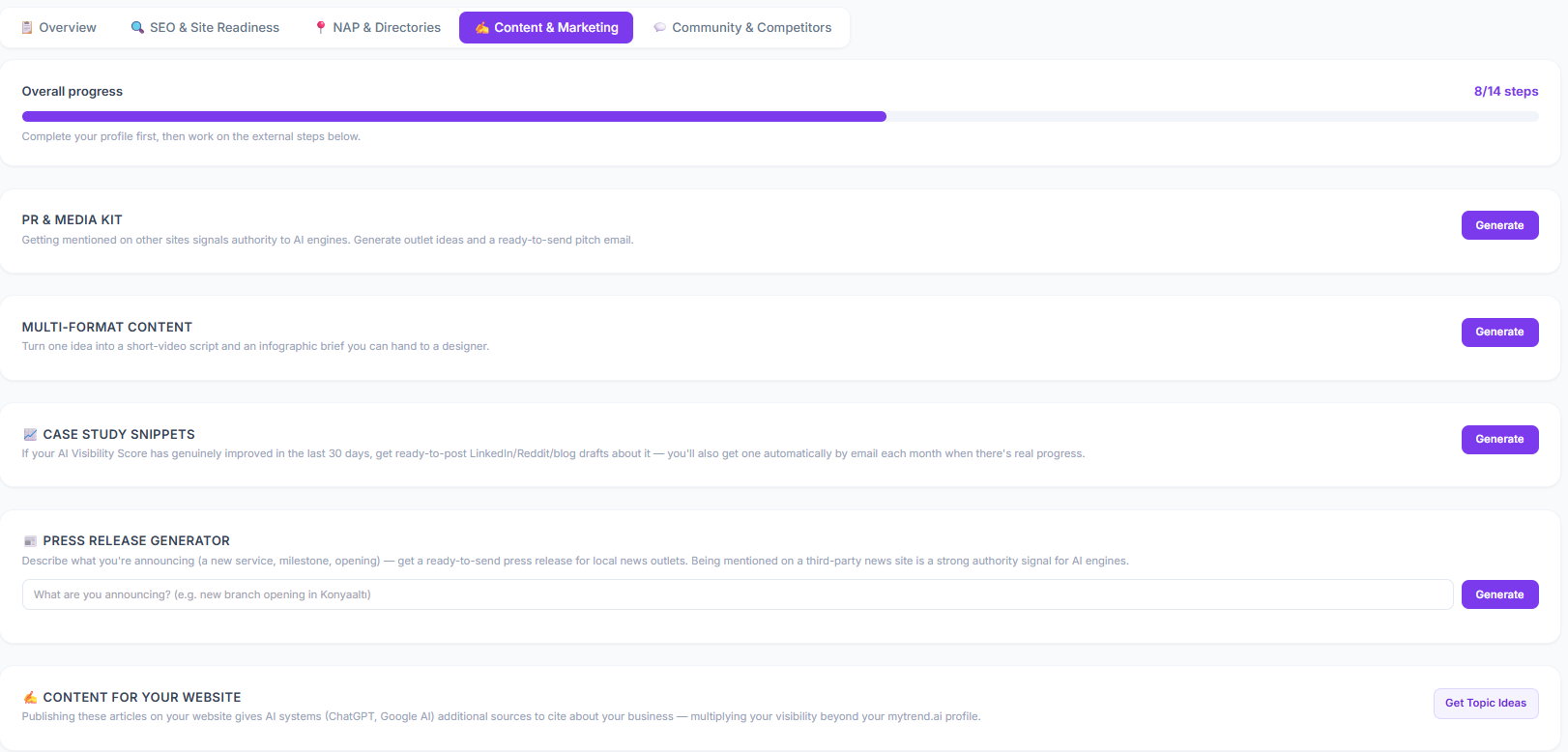
"Action Center" in the sidebar turns your score into a concrete to-do list, split across 5 tabs. The "+X pts" tags are estimated impact on your GEO Readiness Score (technical/citation readiness) — that part updates the moment you fix something. Your AI Visibility Score depends on real AI behavior and can't be simulated the same way; it typically catches up over 2–4 weeks.
Your overall progress and a realistic timeline for what to expect and when.
Technical checks against your own website — structured data, headings, and whether AI crawlers can actually read it. Most items need a website administrator or developer to fix.
Getting your business listed consistently across other independent sources — the more places AI finds the same Name, Address and Phone, the more confidently it cites you.
Ready-to-use drafts — press releases, PR pitch ideas, case-study snippets — that give AI systems more sources to cite you from. You review and publish, mytrend.ai drafts the words.
Track specific competitors — mytrend.ai flags exactly which of your test queries an AI answered with a competitor's name instead of yours, so you know precisely where you're losing ground.
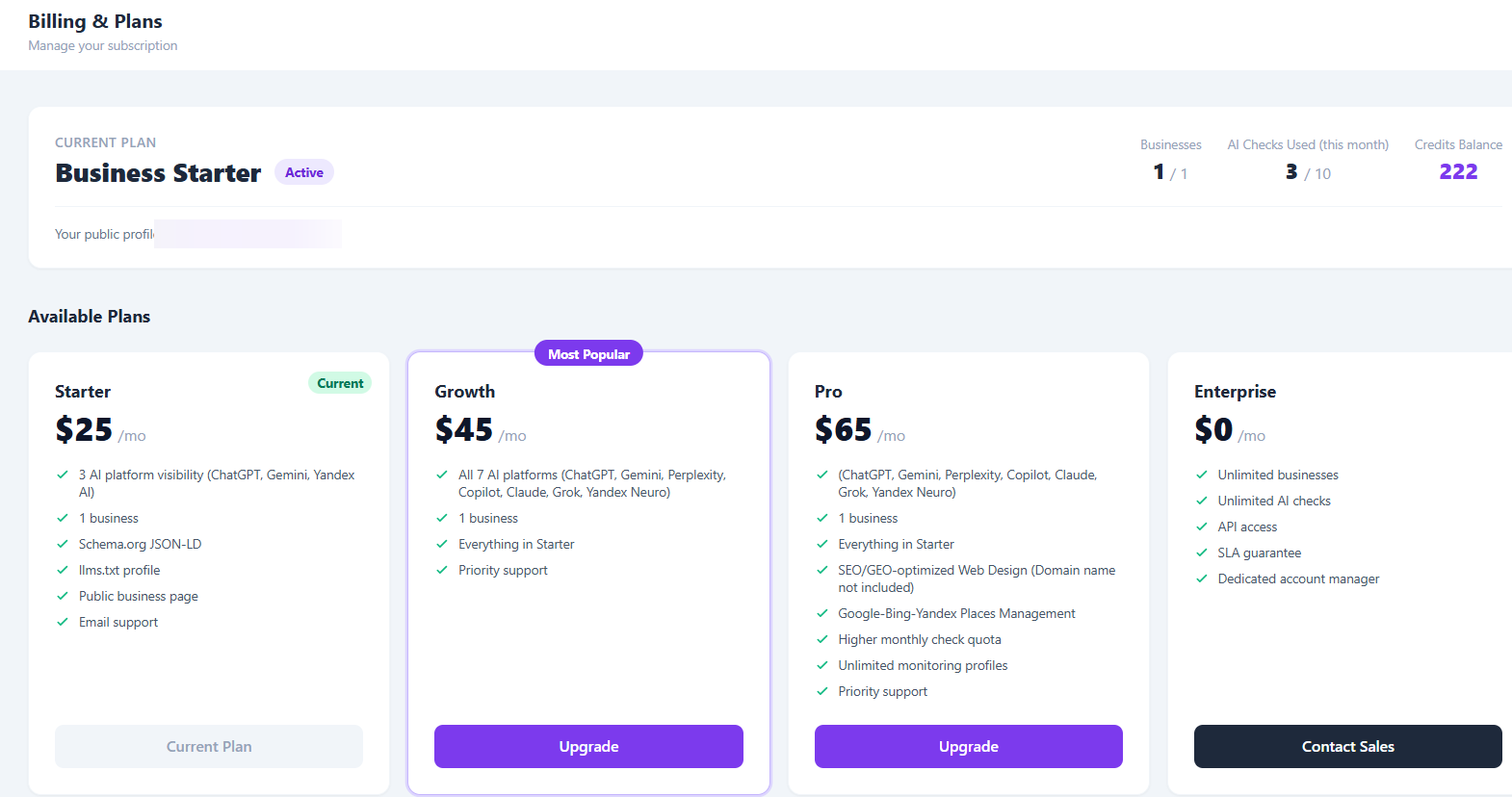
"Billing & Plans" in the sidebar shows your current plan, usage this month, and options to upgrade or buy extra checks.
AI Checks Used & Credits Balance
Each plan includes a monthly allowance of AI checks. Once it's used up, extra checks come out of your credits balance instead — no surprise charges.
Buy Credits
One-off top-ups for extra queries, on top of your plan — useful if you're actively testing new key queries and don't want to wait for next month's allowance.
Create your account and set up your profile in about 5 minutes.
Create your account →No credit card required
We use cookies to run this site and, with your permission, to understand how it is used. See our Privacy Policy and KVKK for details.